

PCM Recovery Guide
Last updated: Oct 26, 2026
47
views

Problem Description
If a write operation is interrupted mid-process, it can brick the PCM, leaving the vehicle unable to start or detect.
Recovery Process
Step 1: Open File
Open the file that you want to flash in the Editor.
Step 2: Select Correct Processor
Pick "Recovery Mode". According to your file/vehicle, select the correct processor type.
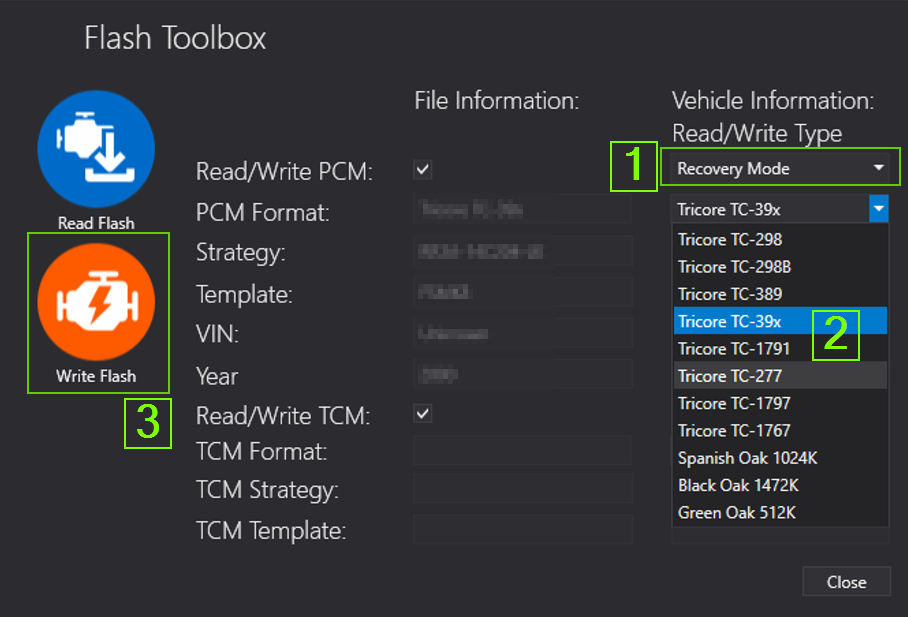
Step 3: Recovery Write
Perform a recovery write using the prepared stock file to restore PCM functionality.

